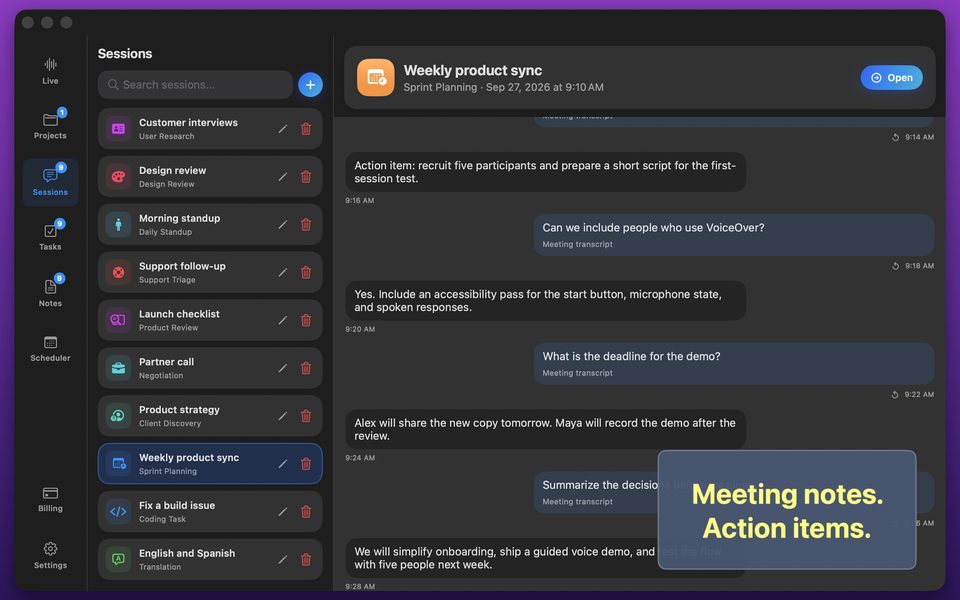
Fastest macOS Desktop Voice AI Workflow: Windows, Audio & Local Models
On a Mac, switching to a browser tab every time you want voice AI breaks window focus and still leaves you unable to capture system call audio or run local models offline.
Four capabilities browser tabs cannot match on macOS
A native macOS app integrates directly with Apple's ScreenCaptureKit, Core Audio, and Metal unified memory:
- System audio capture for Zoom, Google Meet, Teams, Slack Huddles, and Webinars without virtual audio driver hacks.
- Single-window visual context capture without exposing your entire desktop or personal notifications.
- Downloadable Whisper Large v3 Turbo + Qwen 3 8B running on Apple Silicon GPU/Neural Engine at $0 token cost.
- Local on-device database for Projects, transcripts, and task cards with zero cloud storage.
FAQ
Do I need BlackHole or Loopback to transcribe video calls on Mac?
No—GPT Realtime Assistant captures macOS system audio natively with standard macOS permission.
Which Macs support offline Whisper and Qwen models?
Apple Silicon Macs (M1, M2, M3, M4 and Pro/Max/Ultra variants) with sufficient free disk space.