Mac Screen-Share Invisible AI Notes ('Hide app') — Black Friday 2026 Offer ($6.99) vs $30–$60/mo Sales & Demo Copilots
Single-purpose desktop overlay tools routinely charge $30 to $60 every month—or $200+ upfront—just to wrap macOS’s standard window-sharing flag around an AI prompt box. For Black Friday (Nov 24–29, 2026), GPT Realtime Assistant gives you an opt-in Hide app toggle on Mac plus iPhone and iPad apps for $6.99 your first month (30% off $9.99/mo) or $79.99/year.
Price & architecture comparison: $6.99/$79.99yr vs $30–$60/mo overlay subscriptions
Here is what separates a transparent App Store workspace from high-priced desktop-only copilot subscriptions:
| Dimension | GPT Realtime Assistant (Mac + iOS + iPadOS) | Typical $30–$60/mo Overlay Copilots |
|---|---|---|
| Black Friday / Annual Cost | $6.99 first month (Nov 24–29, reg. $9.99/mo) or $79.99/yr ($6.67/mo · 30,000 credits) | $360–$720/year recurring desktop SaaS |
| Screen-share exclusion behavior | Opt-in Hide app button (starts OFF; sets NSWindow.sharingType = .none when enabled) | Often permanently hidden from Dock/Cmd-Tab even in normal work |
| Self-capture loop protection | Yes — SCContentFilter(..., exceptingWindows:) omits own window from screenshots | Varies by Electron/wrapper build |
| Offline zero-credit mode | Yes — Whisper Large v3 Turbo + Qwen 3 8B on Apple silicon | Rare — almost always cloud-metered |
| Mobile apps included | Yes — full iPhone & iPad apps with 58-language 2-way interpreter & Karaoke rehearsal | Usually desktop-only |
| Billing & cancellation | 1-tap Apple App Store Subscriptions (no retention dark patterns) | External web checkout |
Designed for legitimate single-monitor presentations and rehearsals
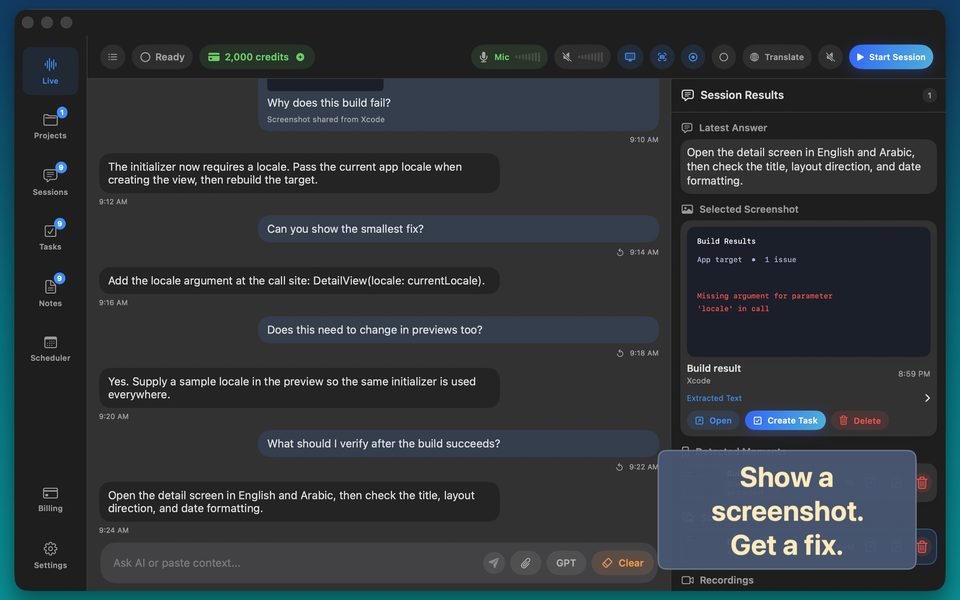
When you share an entire MacBook screen during a product walkthrough, client discovery call, or live lecture, Hide app keeps your personal talking-point checklist, live transcript, and tasks off the projected feed without needing a second external monitor. Always follow the rules of the room—never use hidden assistance in proctored exams or interviews that forbid external tools.
FAQ
Is Hide app turned on automatically when I install the Mac app?
No. Hide app is off by default ("Visible to screen sharing") and resets each launch unless you click it on in the Mac Live toolbar.
What macOS version is required?
macOS 26 or later on an Apple silicon Mac (M1 or newer).