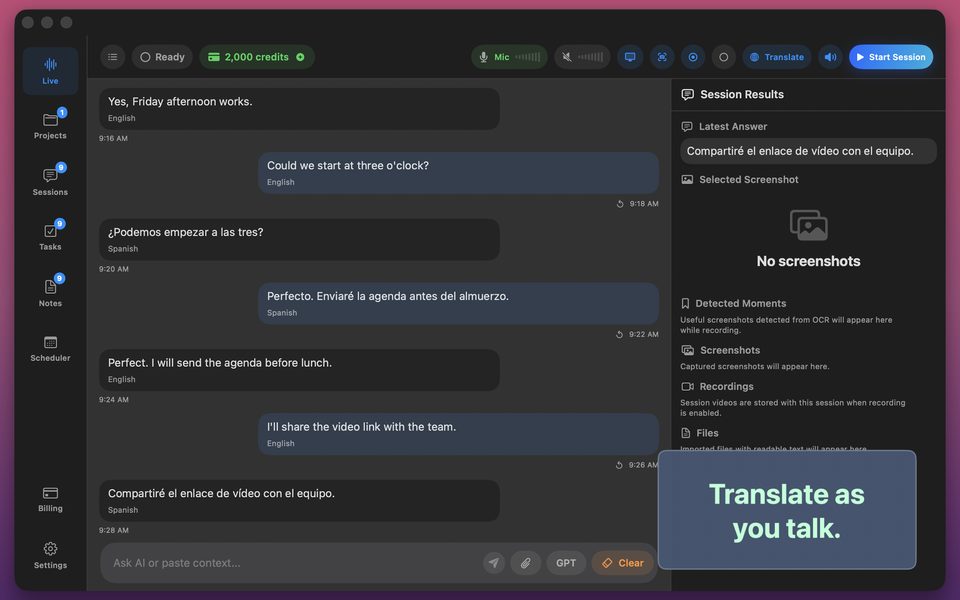
How to Translate Foreign-Language Zoom, Meet & Teams Calls Live on Mac
Joining an all-hands or supplier call conducted in a language you only 60% understand is exhausting. Live macOS system-audio translation gives you real-time subtitles and bilingual notes right beside your video window.
Step-by-step setup for live video call translation on macOS
Wear headphones on your Mac so spoken translation readback (if enabled) never bleeds back into your call microphone:
- Connect wired headphones or AirPods to your Mac.
- Open GPT Realtime Assistant, choose Translate a Conversation, and select the call's language ↔ your language.
- Enable macOS system audio capture so incoming speakers are translated in real time.
- Read the live side-by-side translation and verify numbers, dates, and action items before signing off.
FAQ
Will other call participants hear the translated voice?
Not when you wear headphones—and you can read the live translated text silently at any time.
Does a translation bot appear in the Zoom participant list?
No—capture runs locally on your Mac.