ChatGPT Advanced Voice Mode vs GPT Realtime Assistant (2026 Matrix): Mac System Audio, Window Capture & Side-by-Side Transcripts
ChatGPT's built-in voice orb is terrific for casual back-and-forth brainstorming, yet anyone who has tried using it during a real Zoom call, lecture, or two-person translation session hits the same wall: no Mac system-audio capture, no locked two-way interpreter, no offline Whisper fallback, and an animated orb where a readable live transcript + task board should be.
Side-by-side workflow matrix: ChatGPT Voice vs GPT Realtime Assistant
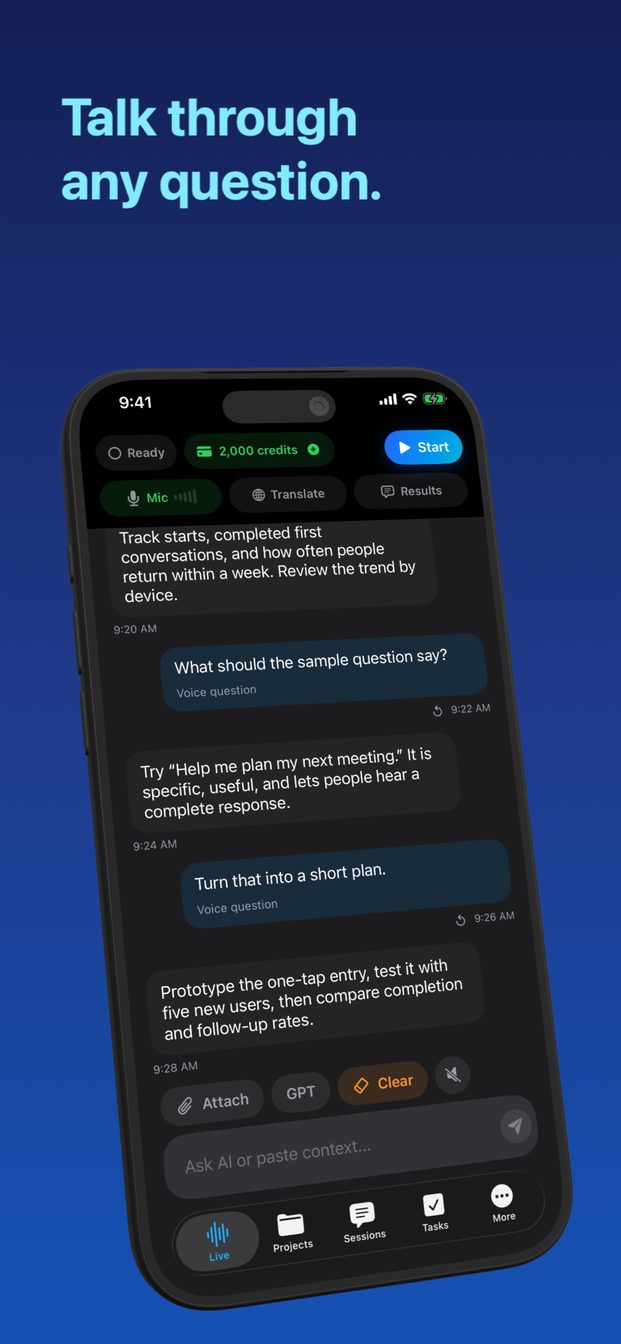
GPT Realtime Assistant (made by Arte Soft EOOD; not affiliated with OpenAI) uses OpenAI's low-latency Realtime API under the hood for cloud sessions, wrapped inside a purpose-built native workspace for iPhone, iPad, and Mac:
| Workflow Requirement | GPT Realtime Assistant ($9.99/mo · $79.99/yr) | ChatGPT Plus Voice Mode ($20/mo) |
|---|---|---|
| Live workspace layout | Side-by-side running transcript + silent or spoken answers (brief, balanced, detailed) | Full-screen animated voice orb; transcript reviewed mainly after exiting voice view |
| Mac video-call system audio (Zoom, Meet, Teams) | Yes — captures the other side of Mac calls without a meeting bot | Microphone only; does not tap macOS ScreenCaptureKit call audio directly |
| Mac screen-share privacy (Hide app) | Yes — opt-in Hide app toggle (NSWindow.sharingType = .none) | Standard visible desktop window |
| Locked 58-language two-way interpreter | Yes — dedicated Translate both ways toggle + spoken readback | Prompt-based only; often slips into answering questions instead of translating |
| 17 room templates + Tasks + Scheduler + Karaoke | Built in (Standup, Sales Demo, Interview, Lecture Notes, Incident Review, etc.) | General chat threads |
| Offline Apple silicon mode | Yes — downloadable Whisper Large v3 Turbo + Qwen 3 8B on Mac (0 credits) | Cloud-only |
| Web browsing, code interpreter & general text chat | Not a web search engine or Python sandbox; focused strictly on live sessions | Yes — full web search, Deep Research, Canvas, file uploads & code execution |
When ChatGPT Plus wins vs when GPT Realtime Assistant wins
Keep ChatGPT Plus if your primary work is asynchronous text research, generating images, uploading 100-page spreadsheets, or running Deep Research reports.
Install GPT Realtime Assistant when you are in a live room or on a live Mac call—needing silent side-by-side answers beside a running transcript, two-way spoken translation across 58 languages, Karaoke word-by-word talk rehearsal, private single-monitor Mac notes via Hide app, or device-local transcripts that never sync to a cloud chat history.
FAQ
Is GPT Realtime Assistant made by or affiliated with OpenAI?
No. GPT Realtime Assistant is an independent native iOS, iPadOS, and macOS app built by Arte Soft EOOD; online sessions connect directly from your device to OpenAI's official Realtime API using included subscription credits.
Do I need to bring my own OpenAI API key?
No. Your $9.99/month (2,000 credits) or $79.99/year (2,500 credits/month for 12 months = 30,000 total) subscription includes AI credits automatically.
Can I keep a live session running with my iPhone locked in my pocket?
No. GPT Realtime Assistant runs live while open on screen; backgrounding the app or locking your phone ends the live session.