Best Mac Copilot Setup for Single-Monitor Sales Demos & Rehearsals (2026): Live Battlecards Hidden From Zoom & Meet
Running a high-stakes SaaS demo or architecture walkthrough from a single 14-inch MacBook forces an uncomfortable choice: share one Chrome tab and break your flow whenever you switch apps, or share your Entire Screen and expose your pricing sheet and discovery notes. Combining pre-call voice rehearsal with Mac system audio and opt-in Hide app fixes both.
Three-stage Mac workflow: Rehearse -> Present Privately -> Convert to Tasks
Instead of relying on last-second prompts during a call, combine GPT Realtime Assistant's rehearsal tools before the meeting with silent, screen-share-excluded notes during the demo:
| Stage | GPT Realtime Assistant Feature | What It Solves |
|---|---|---|
| 1. 15 min before the call | Sales Demo / Interview template + Karaoke readback | Roleplay tough pricing or technical objections out loud; drill your 60-second opener word-by-word on-device (0 credits for Karaoke) |
| 2. Live full-screen Mac share | Brief answers + muted voice + Mac system audio + Hide app ON | Share Entire Screen in Zoom/Meet/Teams while keeping your compact battlecard & live transcript invisible to attendees (NSWindow.sharingType = .none) |
| 3. Visual Q&A mid-demo | Screenshot / window context (excludeOwnApplicationFromCapture) | Capture a prospect architecture diagram or error log without capturing the assistant window on top of it |
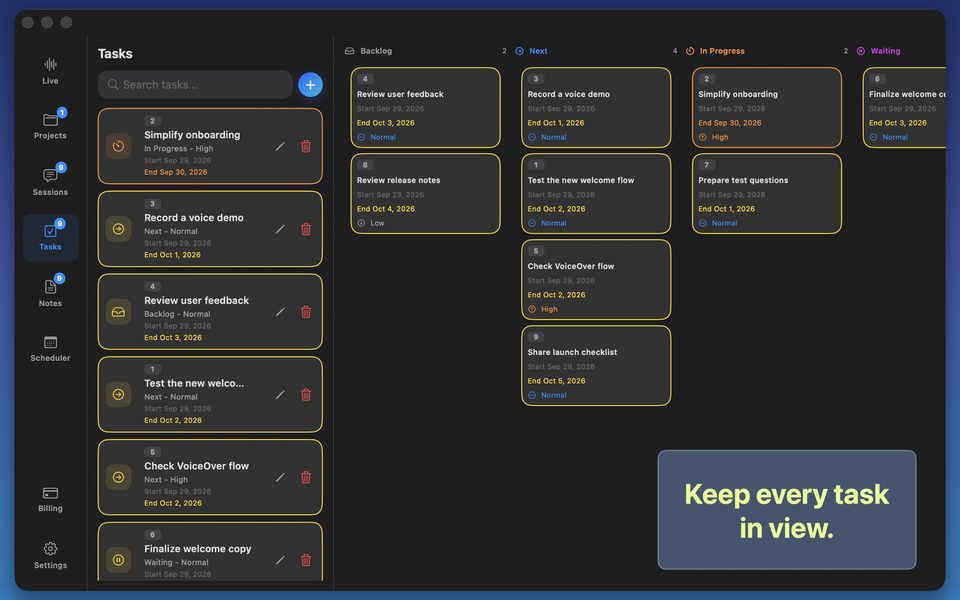
| 4. Wrap-up before closing | One-tap Task board + Scheduler | Turn promised security docs or pricing follow-ups into prioritized local Tasks with due dates before hopping to the next call |
Pre-flight checklist so nothing leaks on audio or video
Run these four checks once before joining a client room on macOS 26+ (Apple silicon):
- Confirm Hide app shows the orange checkmark ('Hidden from screen sharing') and test with Command-Shift-3 if unsure.
- Wear headphones or turn spoken AI replies off so your MacBook speakers never play voice into your microphone.
- Position the compact floating window right below your MacBook notch/webcam so your eyes stay aligned with the camera.
- Inform participants and obtain consent whenever local law or company policy requires notice before capturing call audio.
FAQ
Does a 'GPT Notetaker' bot ever appear in the Zoom or Microsoft Teams participant list?
Never. GPT Realtime Assistant captures macOS system audio locally on your Mac without joining calendar links or dialing a bot into the room.
Does GPT Realtime Assistant automatically email a summary to attendees after the demo?
No. It never connects to your calendar or emails anyone, and it does not auto-write minutes on its own—everything stays inside your local Sessions, Notes, and Tasks on your Mac.
Can I use the same subscription on my iPhone on the way to an in-person client meeting?
Yes. One Apple ID subscription ($9.99/month or $79.99/year) unlocks GPT Realtime Assistant across iPhone (iOS 18+), iPad (iPadOS 18+), and Apple silicon Mac (macOS 26+).