Meeting notes and action items, before the meeting ends
Most meetings end with everyone agreeing that someone will write it up. The write-up arrives two days later, missing the one decision that mattered. The fix is not a better note-taker; it is capturing the decision while the people who made it are still there to confirm it.
Why notes written afterwards lose things
Memory keeps the arguments and drops the conclusions. People remember that the budget was discussed at length and forget what number it settled on. They remember who objected and forget who agreed to do the follow-up.
A transcript solves the first problem, because nothing said is lost. It does not solve the second on its own: an hour of transcript is not a list of who does what by when. That list is the part worth building during the meeting.
Ask while you still can
Because the assistant is listening in real time, you can ask it things about the meeting while the meeting is happening. Near the end, ask what has been decided and what is still open. Read the answer out loud. If it is wrong, the room corrects it on the spot — which is exactly the moment a correction is cheap.
The templates help here. A decision meeting, a sprint planning, a daily standup or a one-on-one each start with instructions that tell the assistant what to pay attention to, so it is looking for decisions and owners rather than summarising small talk.
From a moment to a task
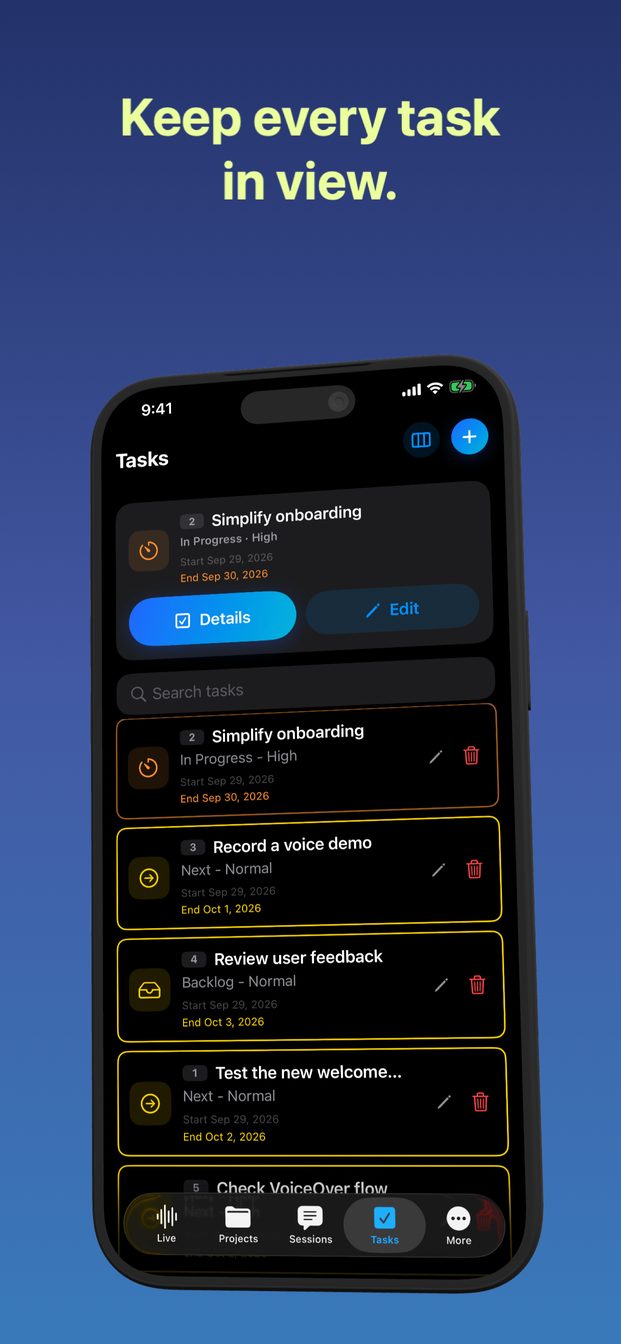
Useful moments become tasks. Each has a status and a priority, dates, and comments, and it can carry evidence: a screenshot or a video attached to the task, so the reason it exists travels with it.
- Status and priority, so the list can be sorted into what is urgent and what can wait.
- Dates, so a task has a deadline rather than a good intention.
- Comments, for the detail that did not fit in the title.
- Evidence — a screenshot of the slide, a photo of the whiteboard — attached where it will be needed.
The follow-up meeting, already booked
Sessions can be scheduled, with reminders. If the meeting ends with “let us look at this again next week”, schedule the session before you leave, in the same project, so next week's transcript sits next to this one and the open items are there to pick up.
On a Mac, notes live alongside sessions and tasks, for the kind of thinking that is not a task yet.
Everything stays on the device
Tasks, notes, schedules, transcripts and attachments are stored on the device. There is no cloud sync. If a meeting is confidential, that is one fewer copy of it in the world; if you need the tasks on another device, that is the trade-off to know about before you rely on it.
Does it write the action items automatically?
You can ask the assistant, during the session, what has been decided and who owns what, and turn useful moments into tasks with status, priority, dates and evidence.
Can I share the tasks with the team?
Tasks are stored on the device, with no cloud sync. Attach the evidence and share what you need from there.
Which template should I use?
Decision meeting for decisions, sprint planning or daily standup for engineering teams, one-on-one for a conversation between two people. Each can be edited for the session in front of you.